
AWS Athena CLI for ETL?
A decent cheat code

Something I’ve come to like lately is using CLI’s more than python, especially for AWS and DuckDB. There is just something gratifying about a CLI’s simplicity; With that being said, today we are going to talk about a common problem that rears its ugly head in the ETL world and how to take a ‘poormans’ ETL approach to it using AWS Athena.
The problem we are looking at is s3 buckets that have tons of folders of json files, sometimes of which are non-deterministic e.g. some folders nest 3 deep, others 5 or 6 deep; these type of buckets usually are used to hold event data such as application logs or streaming info like purchase orders; you will typically find them in the AWS ecosystem when a process has setup a kinesis stream or firehose or a kafka queue; it’s very simple to setup, and Amazon’s managed firehose service handles all the partitioning stuff for you if you so choose to do so. The folders typically look like this:
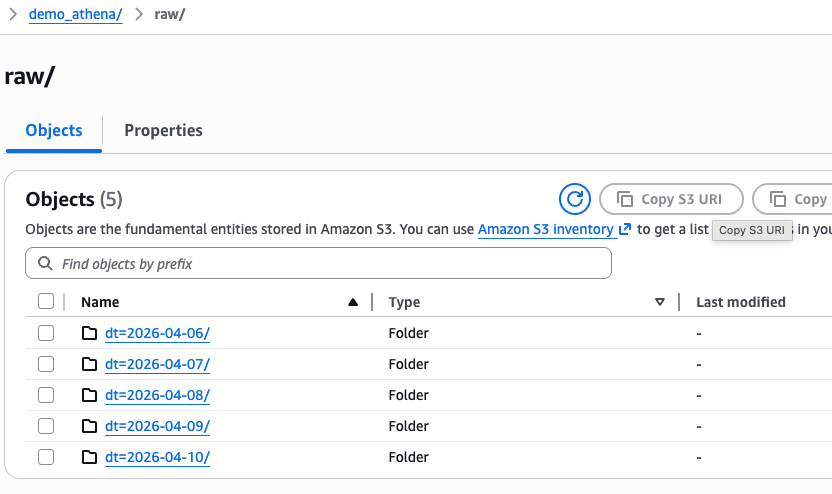
and inside each folder as you drill down, you will find an array of json files like this:
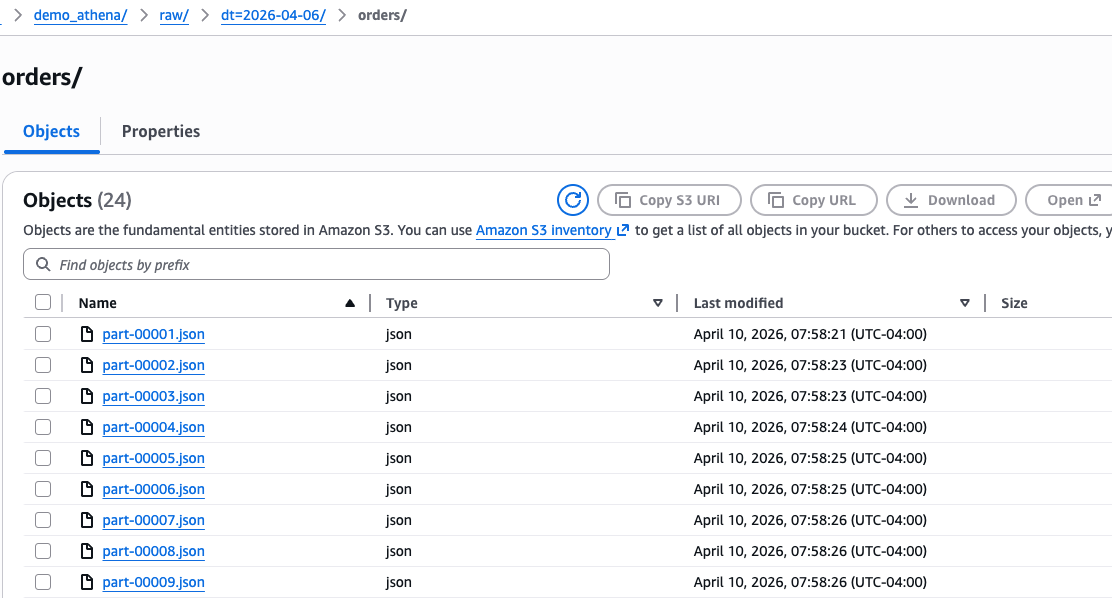
Again, this setup is not terrible and is very robust for dropping in new data quick and easy; however, when one wants to query the data and get insights from it, regardless if using services like AWS Athena, Glue, Spark, or even DuckDB, there is significant overhead and performance hits for these query engines to unwind and deserialize all the json. In this article, I will demonstrate that overhead and how to overcome it.
First the Dataset
For this demo, I used good ole chat gpt 5.3 codex to build out our dummy dataset and all those json files you see in the screenshots above. I’m not gonna lie here. I’ve been using copilot to build out dummy datasets now for quite some time. It has gotten significantly better over the last year and the slop count is down a ton. The script runs in about 15 seconds and defaults to building 5 days worth of dummy data. The script can be found here. I’m not going to go into too much detail on the script, but its pretty straightforward when you crack it open; uses random seeds, etc; the script is probably a bit longer than what I would have probably authored myself.
Now The Important Stuff
So as I mentioned at the beginning, we will be using AWS Athena to do the following steps:
create a new table that queries the JSON data directly - this can be thought of as our “staging” table
run an UNLOAD command in Athena to query out the JSON over to parquet - this is the ETL
build a new table that queries the parquet version of the data - this is our “final” table
You might be asking a few things such as “why not just a glue job?” or “why not just use duckdb here?”
A few things on this:
a glue job requires a lot more overhead; I have to create a python script, upload it to s3, create a glue job, attach an IAM role to it, map the glue job to the script in s3, provide any additional packages needed, execute the glue job…etc; there is a lot involved for glue to work. Athena instead is just a simple AWS CLI and/or boto3 python call, which ever you’d like
why am I not using duckdb here? I could, but with local execution, duckdb will have to traverse all the json files, bring them down locally to my laptop, deserialize the json and then compute and package back up to parquet. It’s slow, believe me I’ve tried; With Athena, it all stays up in the AWS ecosystem, which means no pulling down locally and the unload command works fast
I mentioned I’m doing all this in bash. So to make the process easy, we have a few bash functions we defined to execute an Athena query, check for completion, and a wrapper:
Executing an Athena Query
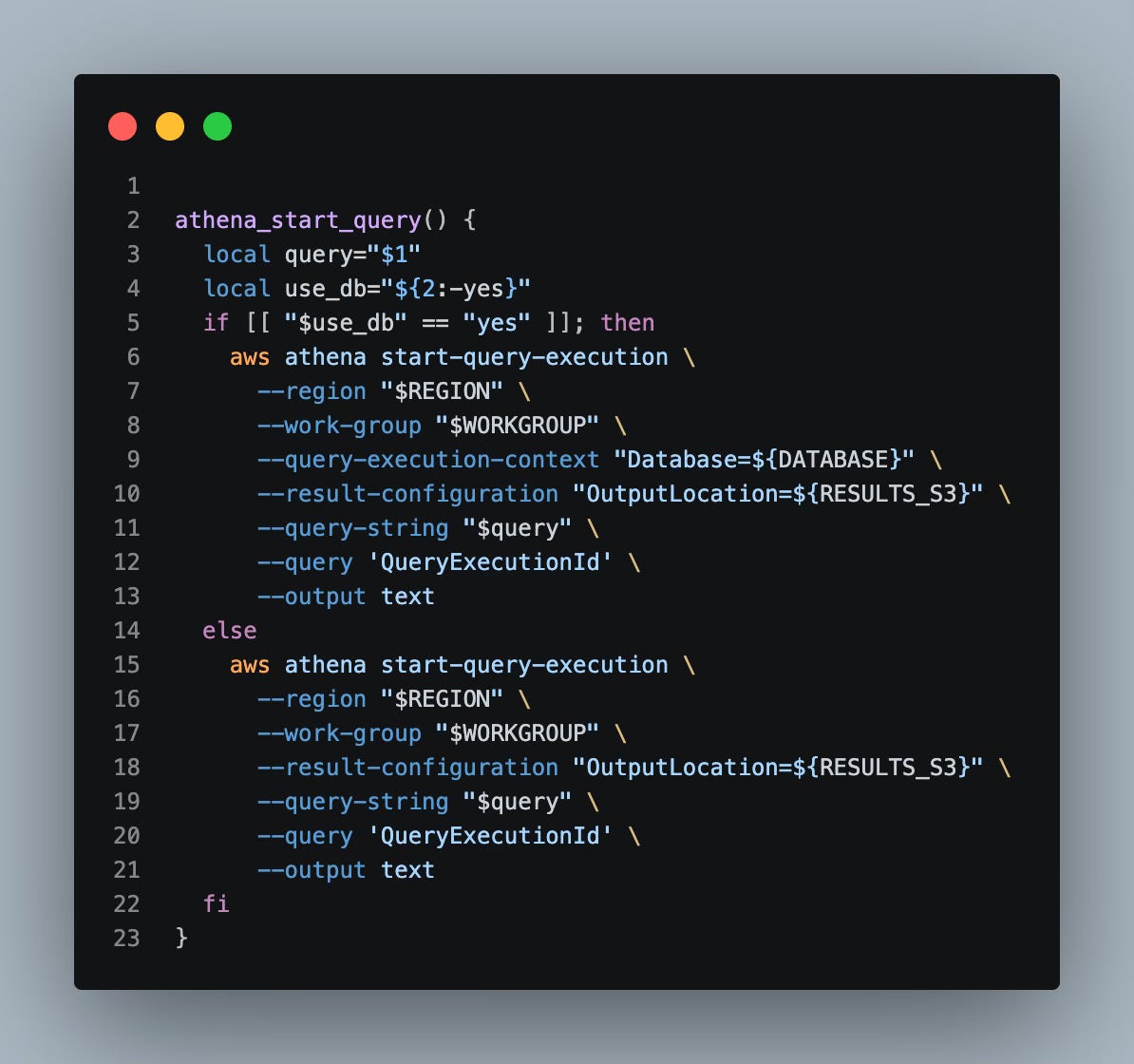
When you execute an Athena query, it runs async e.g. control is immediately returned back to you at the terminal after it starts, even if it takes a while to run; thus, we also need a polling function to check every few seconds if the query is done:
Polling Function
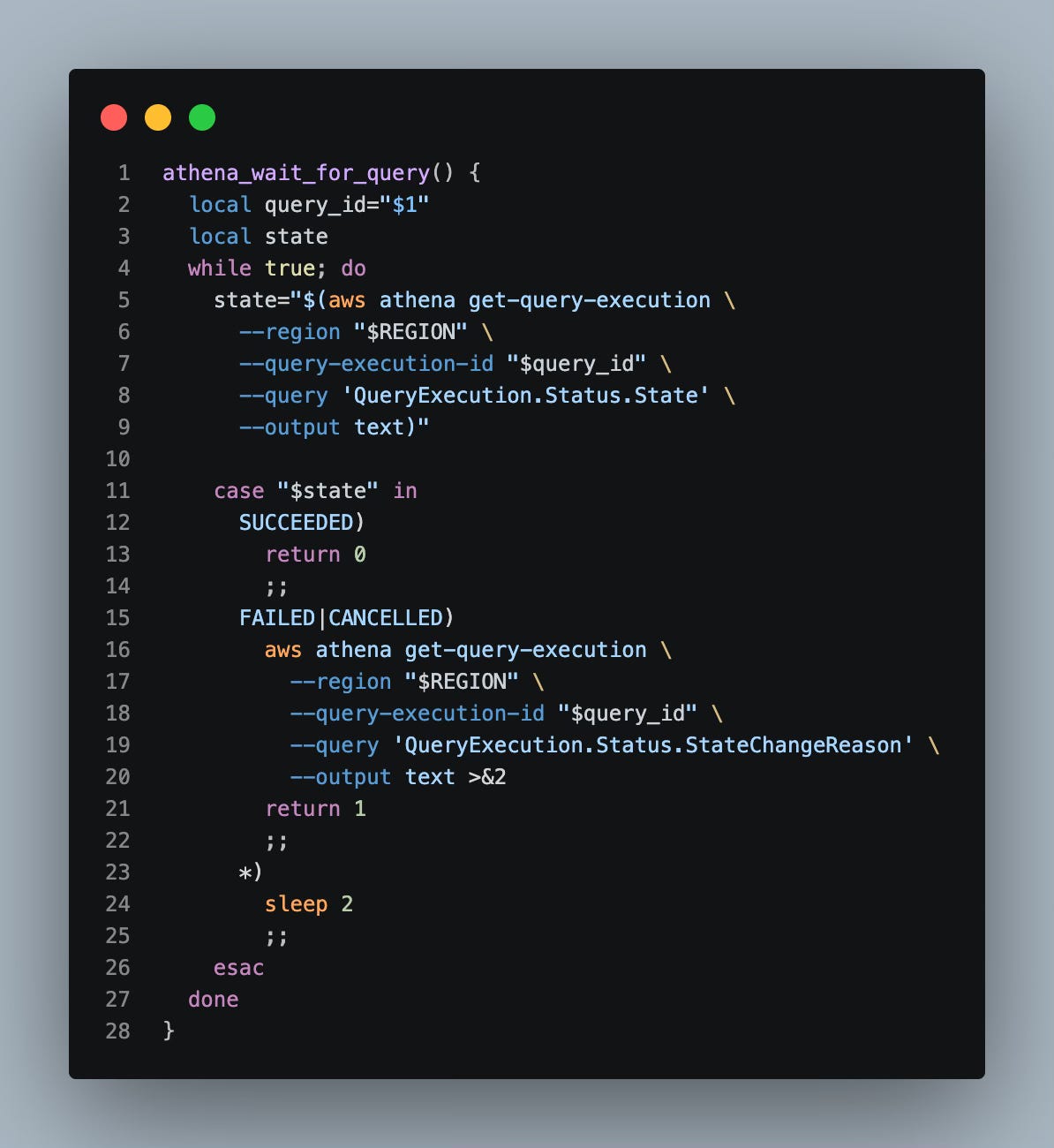
And now that we have our 2 main functions up, let’s put them in a wrapper that tells the query to launch and then polls it for completion:
The Wrapper
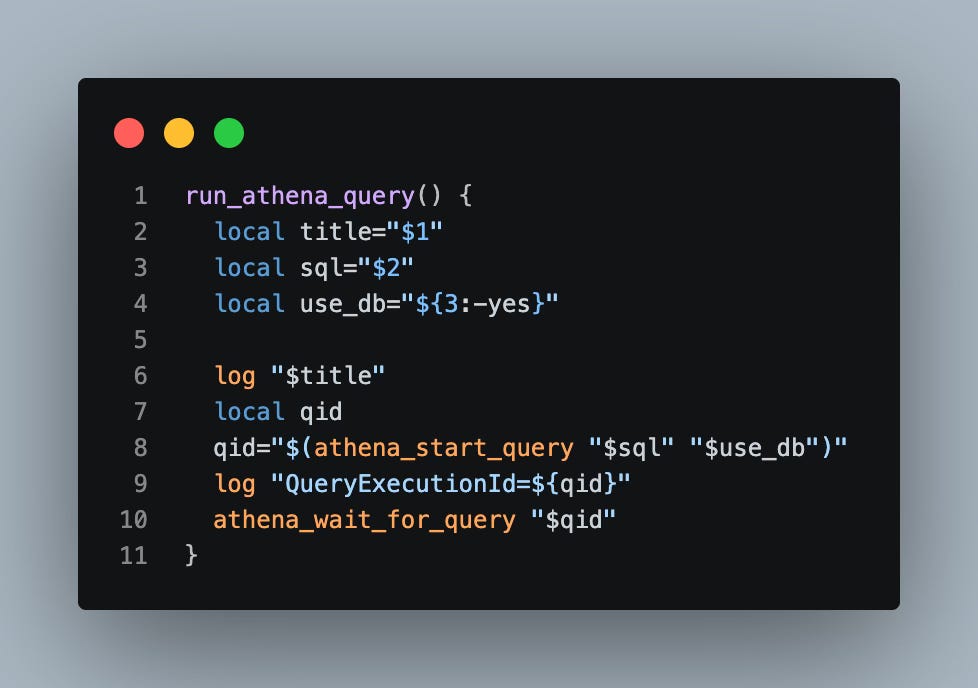
Alright, we now have all the functions we need to go do our ETL job. Let’s start with creating the JSON staging table in Athena as follows:
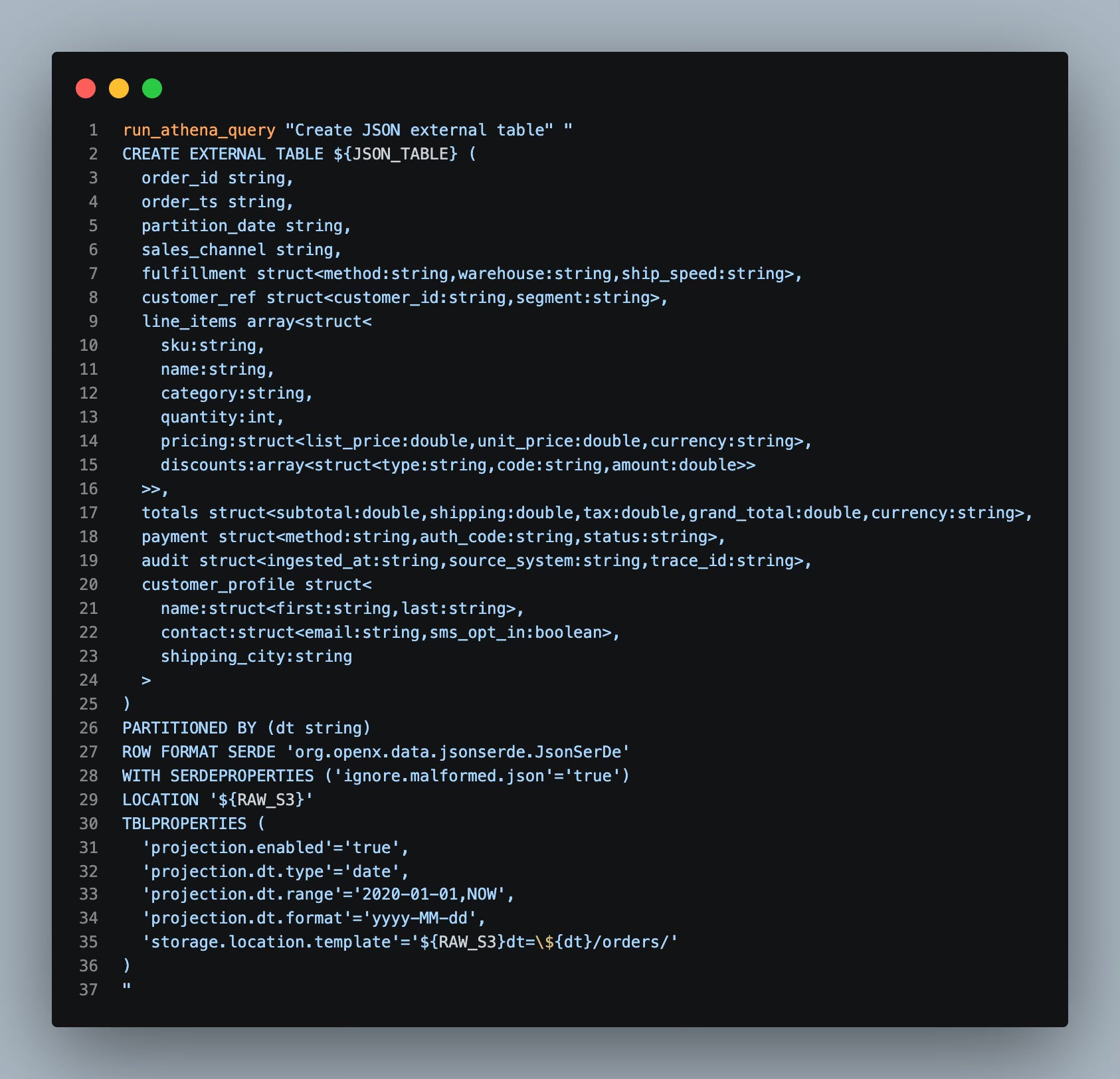
Pretty gnarly right? This shows all the madness that any query engine (regardless if Athena, Spark, or the Duck) has to go through to parse the JSON into a tabular format.
And now, the secret sauce - a.k.a. the UNLOAD
Side Note - I have a feeling a lot of people do not know that Athena has an UNLOAD command similar to Amazon Redshift; it truly is a secret weapon and comes through in a pinch
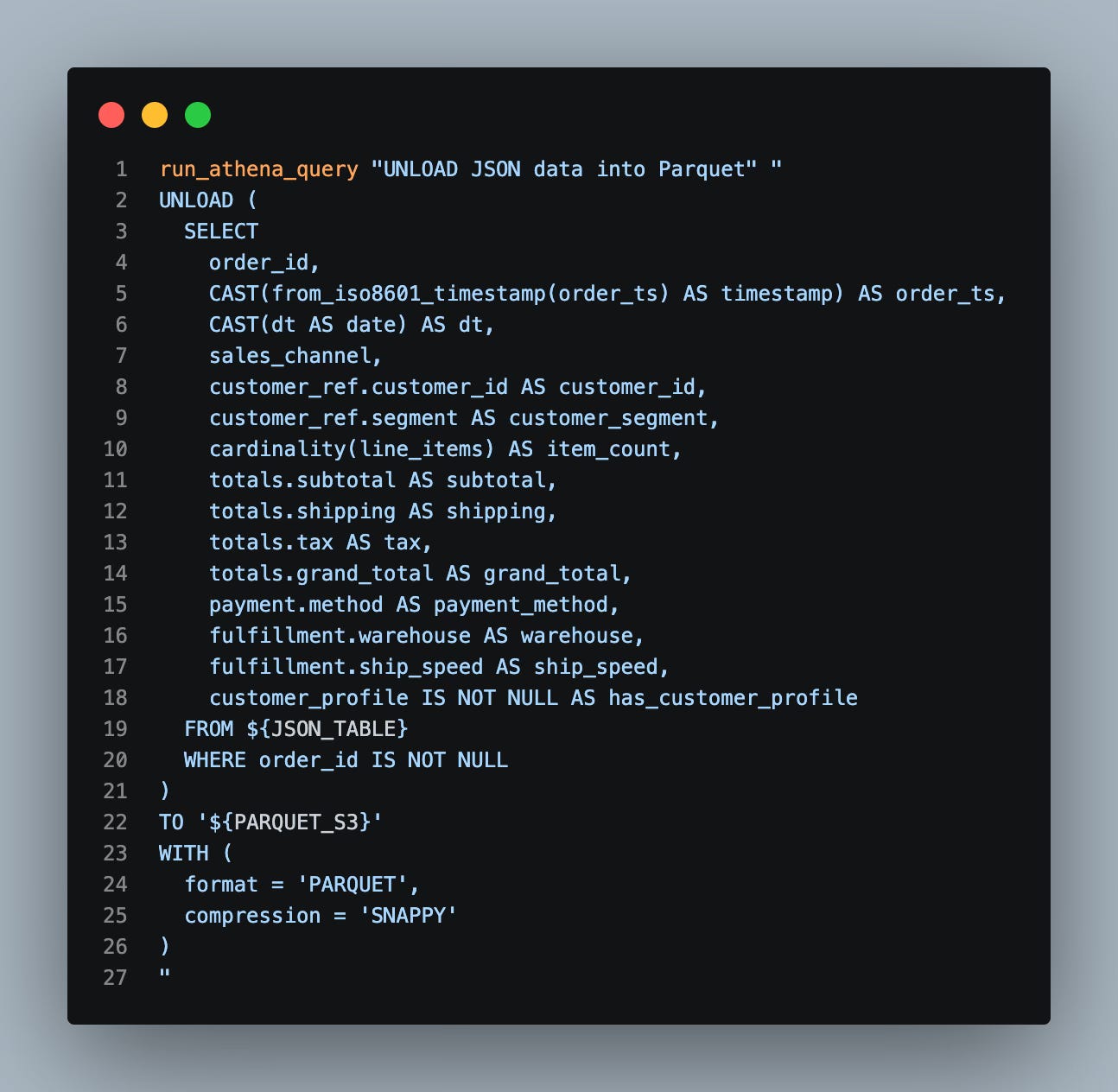
Ok, now that we have our raw json table and the unload done to parquet, let’s go map that parquet data to an Athena table:
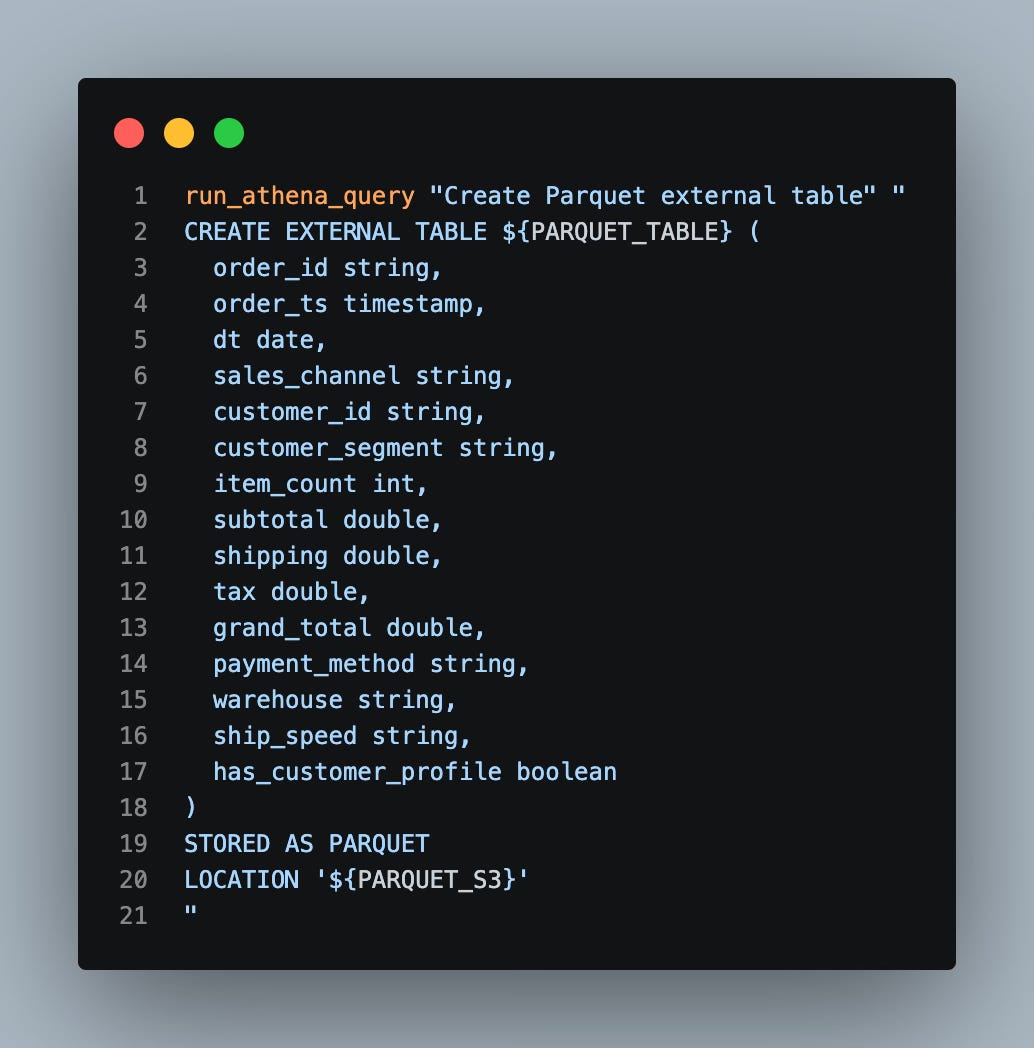
As you can see here, there is significantly less work going on to define the parquet version of this table, and that will come in handy for performance boosts.
And Now…The Benchmark
For the benchmark, we will run 3 sets of queries against both the JSON and parquet versions of the table:
a simple row count
channel sales agg
volume sales agg
To do this, we have a python benchmark script called benchmark_athena_formats.py that can be found here.
Each query runs 3 times and we average out the results. Below is what a typical run of this benchmark looks like:
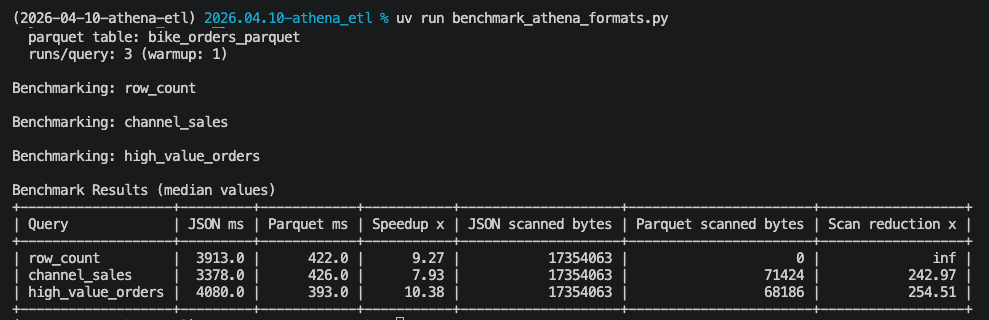
No - your eyes are not playing tricks on you - we are seeing on average a 9x performance boost by hitting the parquet version of the table for the channel sales and the high_value_orders.
Side Note - using a row count query on parquet is not really fair since parquet files store in its top level metadata the number of rows; but I think it’s helpful here for demonstration purposes so that one can see some of the immediate advantages parquet has to offer
And, this demo was only traversing 5 days worth of json order data. In many log or streaming applications, you would have to traverse thousands of files and the performance hit would be enormous. Thus, many teams resort to an ETL job that does actually compact the json into parquet and runs nightly.
Summary
This article demonstrated how we can leverage AWS Athena to perform serverless ETL with just a simple bash script. And you can extend this method significantly, given the UNLOAD command we demonstrated takes in a SELECT statement; thus, you could modify that to fit your use case or have it unload many different cuts of data that you build subsequent parquet tables off of. You can even build views in AWS Athena with the same CLI.
And we did all of this ETL work without having to use python, create a glue job, create an ECS fargate job, etc; this is quick and in some regards the preferred path when you just gotta get things done.
Thanks for reading,
Matt