

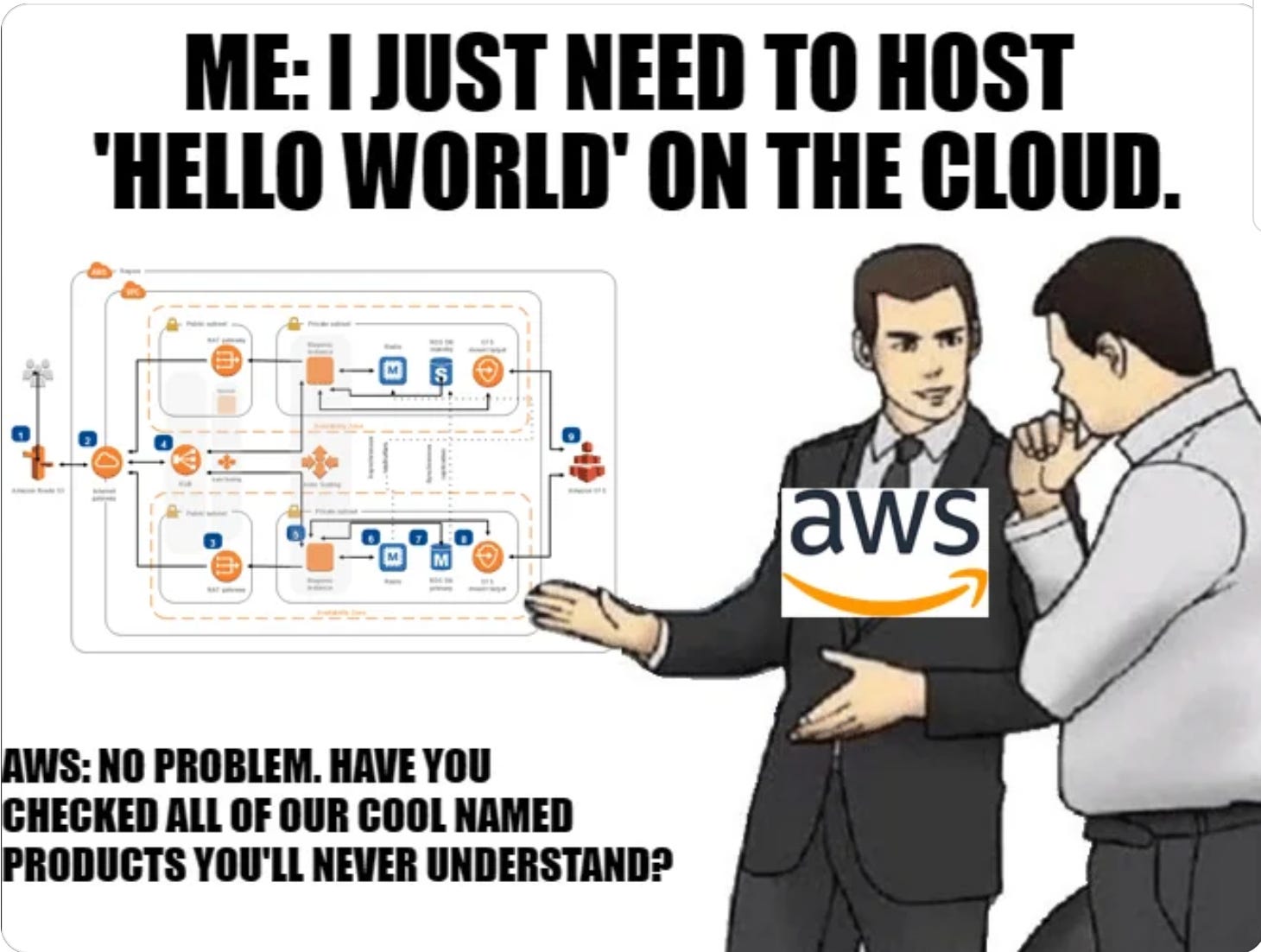
This one has been a long time coming. I’ve mulled over several months if I had the patience and willingness to write this one and do a full scale tutorial. But I ultimately came to the conclusion that something like this is absolutely needed. For years now, we get sold by this idea from consultants that building ETL in AWS is “easy”. This brings me to this somewhat practical representation of reality:
Memes aside, this article is going to walk us through a full build out of deploying a modular, scalable, and reusable ETL infra in AWS using ECS Fargate and DuckDB.
What is ECS Fargate?
ECS stands for “Elastic Container Service”; the “Fargate” part is just some random word that means more/less ‘serverless’. So why would we want to deploy a DuckDB ETL script in a docker container instead of something like AWS Glue? A few reasons:
Glue is purpose-built for spark jobs; it will spin up a cluster of compute resources, which does not fit the bill for DuckDB and single-node execution; it is also generally more expensive because of this
Glue shell jobs (their single node execution service for python scripts) can only run on python 3.9, which last time I checked was at EOL as of October 2025; additionally, the more recent versions of DuckDB (1.4 and above) I believe don’t even deploy to 3.9
Glue shell jobs have limited CPU and ram; with ECS fargate, we can easily toggle all of that and scale up the CPU and RAM as needed
Deploying additional python packages in glue is a nightmare when your org doesn’t allow you to access the PYPI repo directly
With Fargate, you get to control how much CPU, RAM, and ephemeral disk space you want to provision with simple parameters
With Fargate, you get to control the contents of the docker image including the python version and any other packages you want to bundle with it
30,000 Ft. Architectural Overview
What we will be deploying in this tutorial at the highest level is:
a Docker image with python 3.13, DuckDB 1.5.2, and DuckDB extensions httpfs and aws pre-installed
An ECS Task, which is analogous to an ETL pipeline; the task takes in a parameter of the S3 location for the script and then executes it against the docker image we have deployed up. This makes our docker image modular and reusable
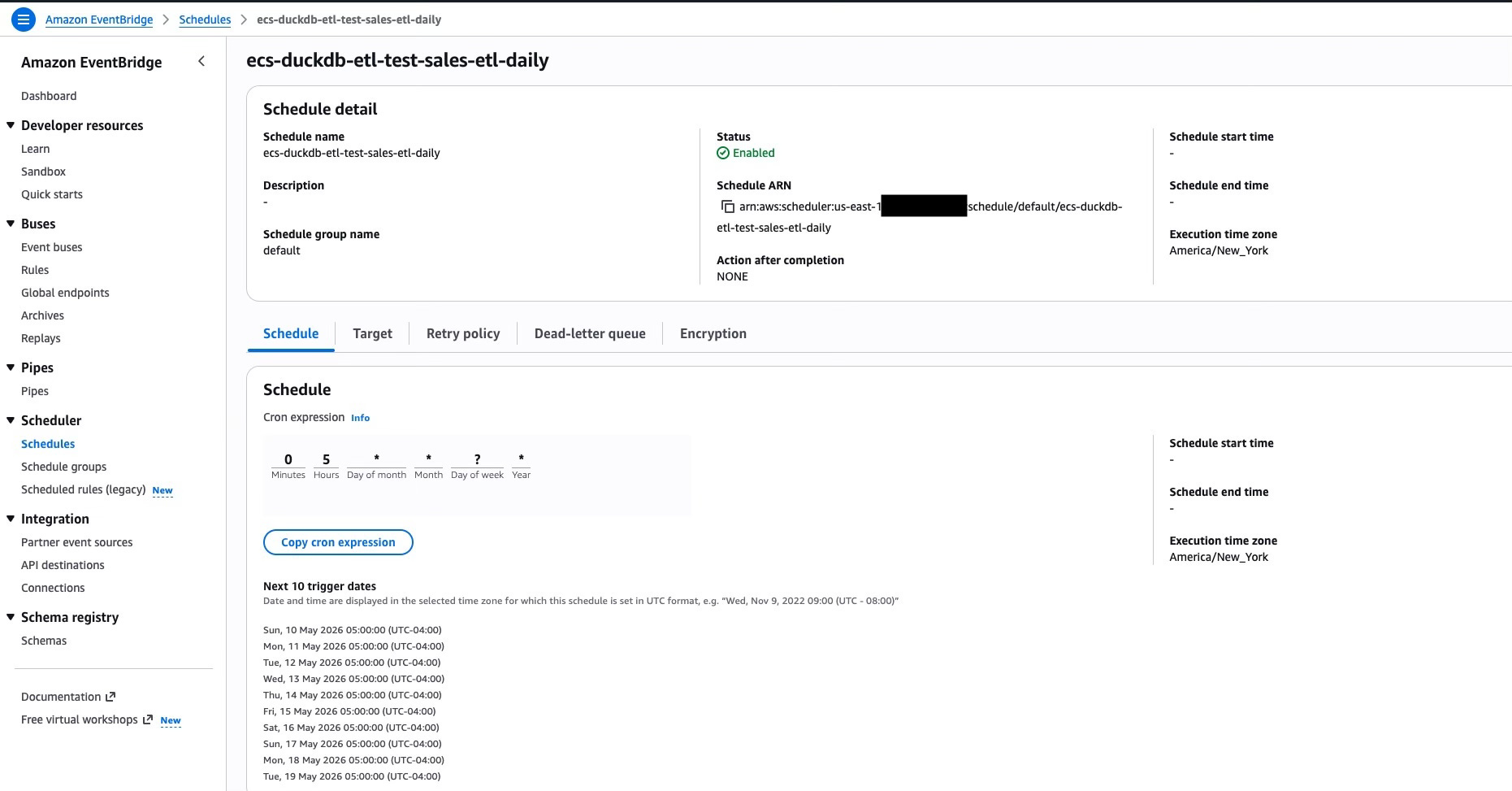
A scheduler to run the job at a specific time of the day; this is done via AWS Event Bridge
An alert that posts to a Slack channel if our job succeeds or fails - this is key to monitoring and observability, which many teams neglect until they get yelled at by the business about a table that hasn’t updated in 3 weeks…
You will notice up above I put in bold “pre-installed”; in many organizations, for security reasons, they do not allow jobs in the cloud to reach out to public repos to pull python packages; thus, we will pre-install them in the docker image so at run time, they are already there.
I hope at this high level, what I’m saying makes sense. Now we will dig into the actual low level part of this.
Ground Level Architectural Overview
This part is effectively what I refer to as the “AWS Legos” and this pulls back the curtain so you understand exactly how the sausage is made. To deploy a reusable docker image up to AWS to run DuckDB ETL, this is all we will have to deploy:
An AWS ECS Cluster - this is just a logical grouping to hold tasks (its not like a spark cluster…no compute whatsoever)
An AWS ECS Task - The actual job
An ECR repository - to hold our docker image
an EventBridge Trigger - the scheduler to run the job
AWS Secrets manager entry for our Slack Webhook - to secure our Slack Webhook URL
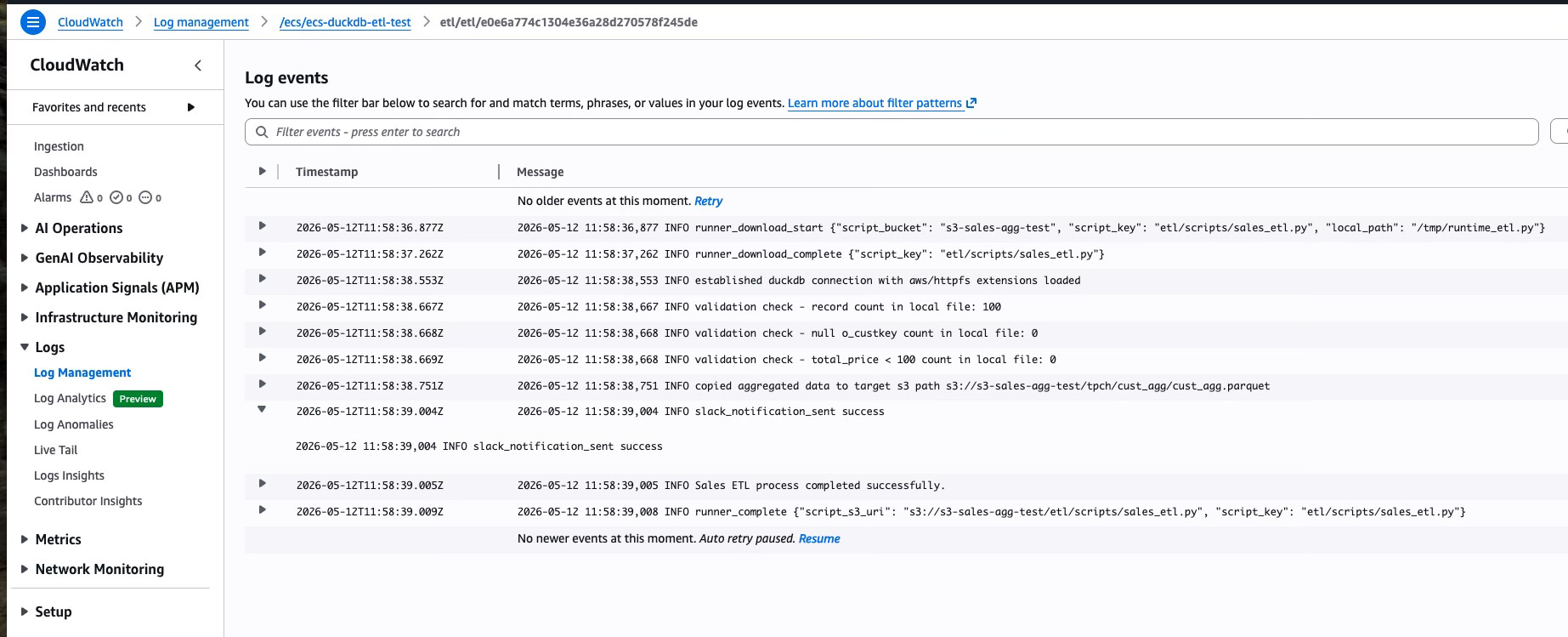
AWS Cloud Watch Logs - to log the task as it runs; is equivalent to the stdout; helpful for debugging
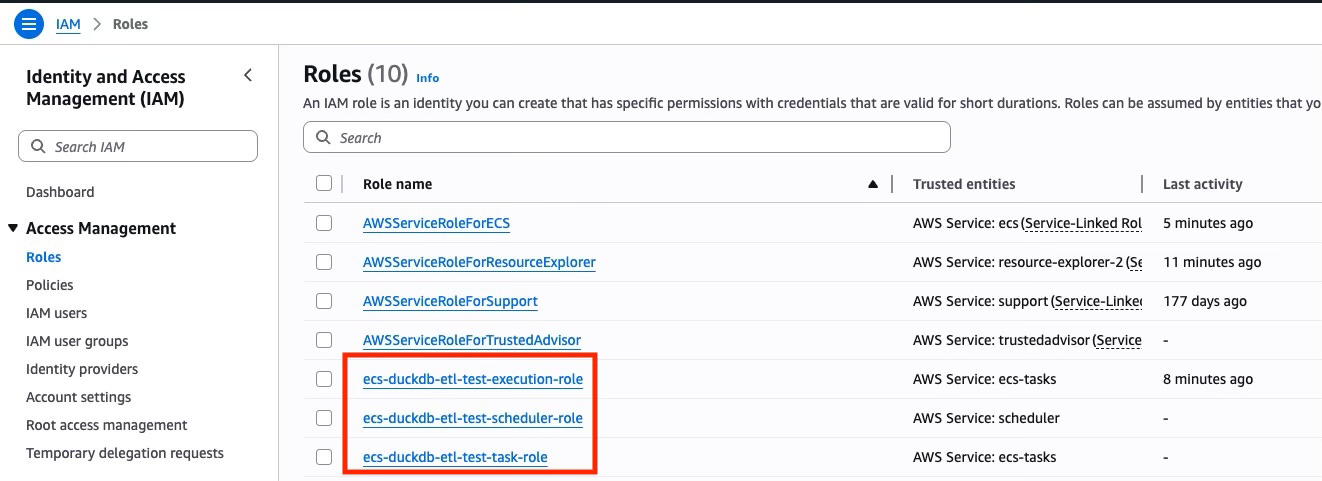
An IAM role that can pull the ECR Image (Docker image)
An IAM role that can execute the ECS task
an IAM role to run the scheduler from EventBridge
The actual ETL script - gets deployed to an S3 bucket
These assets will get deployed via the terraform code for our project located here:
But there is something important to consider when deploying Terraform code; you actually need a separate IAM role that you have already provisioned that has the ability to deploy all those assets mentioned above. I had previously made terraform role that I called my svc-infra-role; the template for it’s IAM policy can be found here:
Additionally, I had pre-created my S3 buckets vs. having the Terraform create them; the reason behind this is 2-fold:
This allows me to test the script locally before deploying up to AWS; if the buckets didn’t already exist, the process would fail
I needed a “source” S3 bucket to pre-generate some dummy data that our ETL script could pull from.
The ETL Script
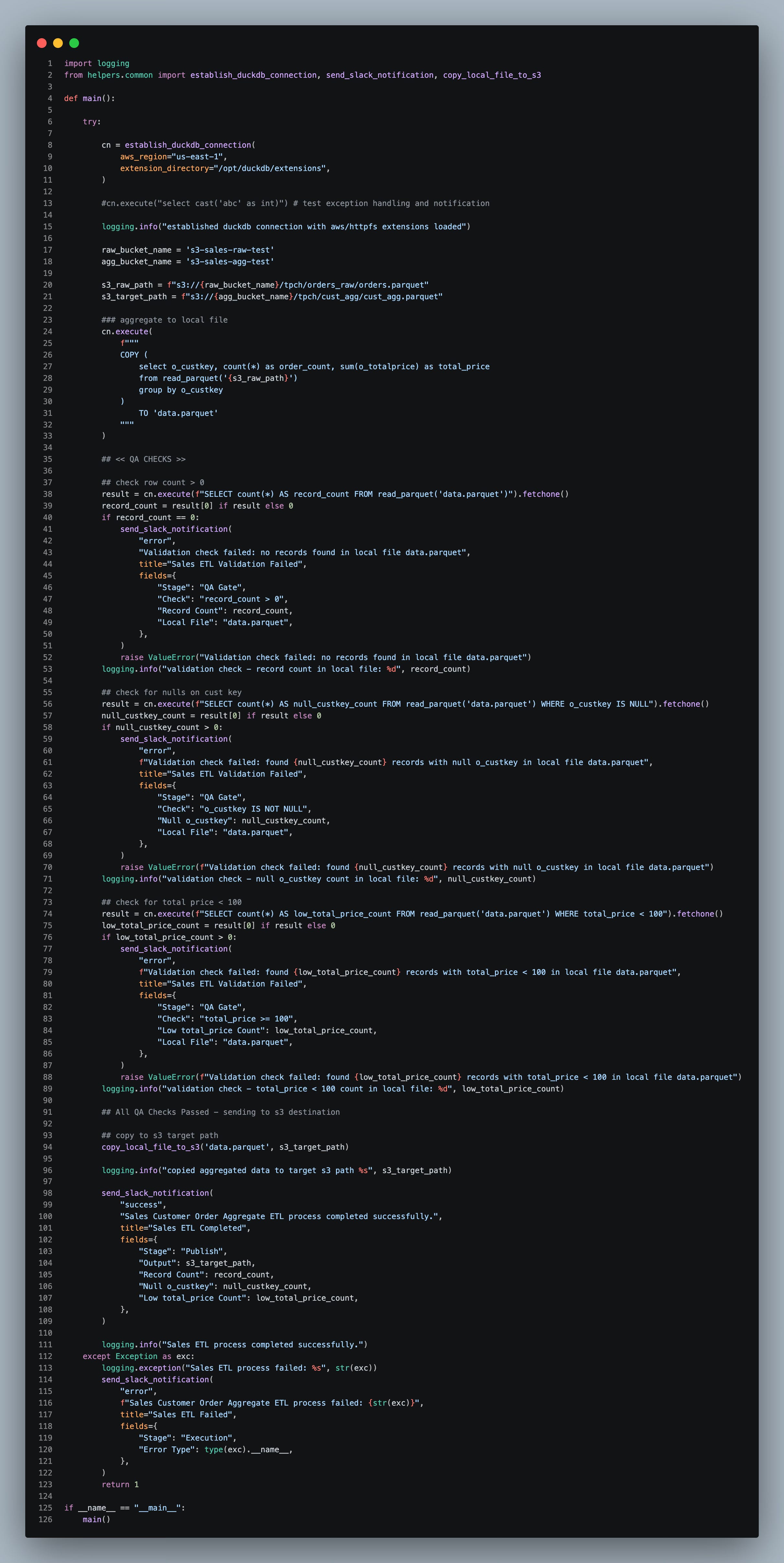
Our ETL script is pretty straightforward. It does the following steps:
runs an aggregation query against the source parquet file and stores the result in temp space
does 3 QA/validation checks: row counts, nulls, and checks where the total_price column is less than 100
if any of these QA checks fail, then the process errors out and sends an error notification to slack
If all QA checks pass, then the final file is written to the destination S3 bucket and a success notification is sent to Slack
Here’s what the script looks like in all its glory:
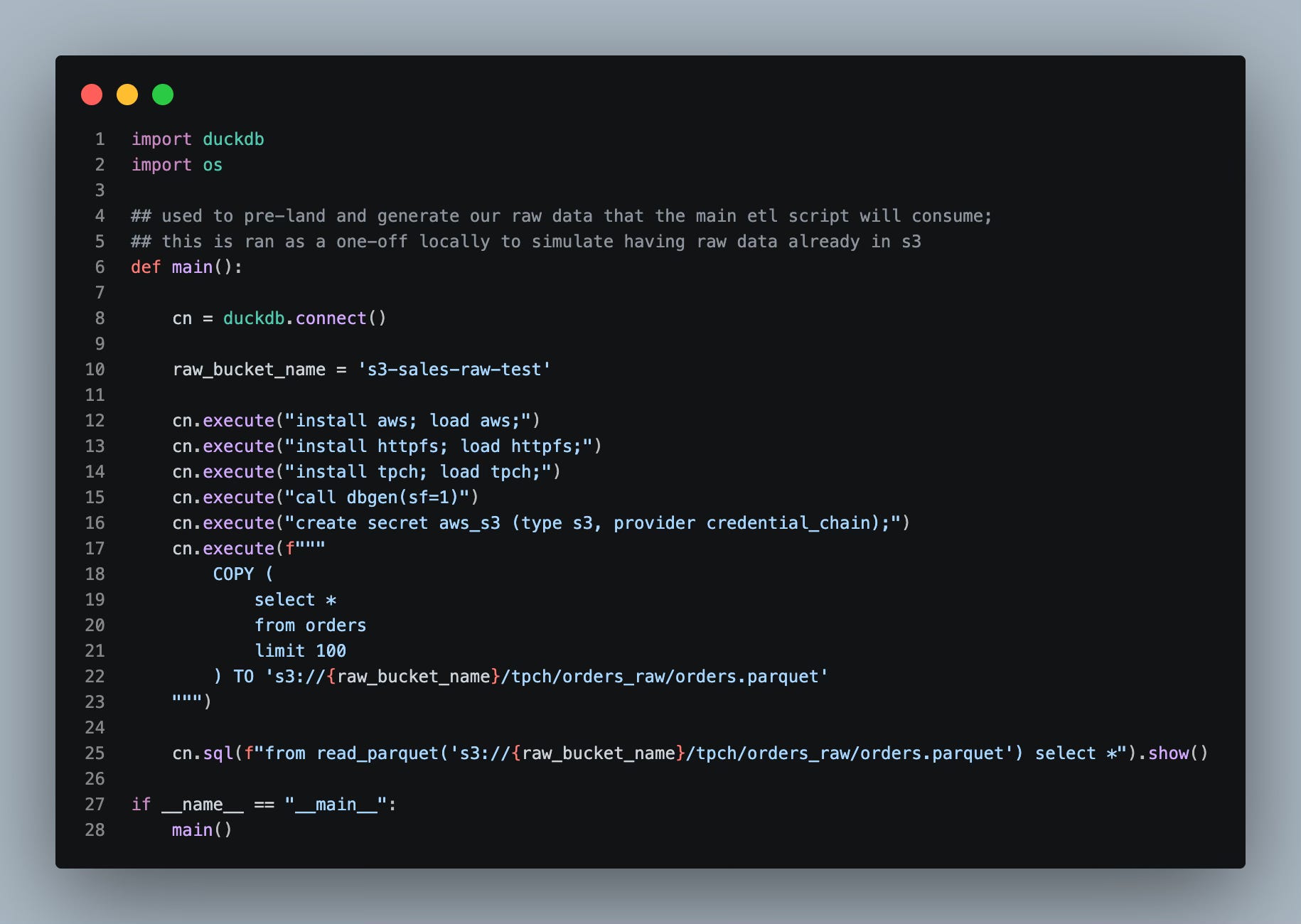
The Source Dataset
For our main ETL script to run, it has to pull its source dummy data. That was a simple DuckDB script that I ran locally using TPCH dataset, which looks like this:
The Helpers Library
You’ll notice in our ETL script that we are importing a module called “helpers”. This is a common pattern that I and many others use for ETL. Many of the reusable functions like sending slack notifications, uploading files to s3, etc., I will pre-bundle with the docker image. All the code from our helpers library can be found here:
The Docker Image
Our Docker Image is pretty simple. It’s the amazonlinux 2023 image which comes pre-bundled with the AWS CLI; that is important since DuckDB needs to authenticate to various AWS services using the “credential_chain”. You will see that we are also installing python 3.13 on the base image, DuckDB (via the requirements file) and adding DuckDB extensions httpfs and aws; again as a friendly reminder, we are pre-installing the extensions with the assumption that once we deploy this ETL script to AWS, our security policy prevents us from reaching outside of our AWS network to public repositories. Here’s what the image ends up looking like:
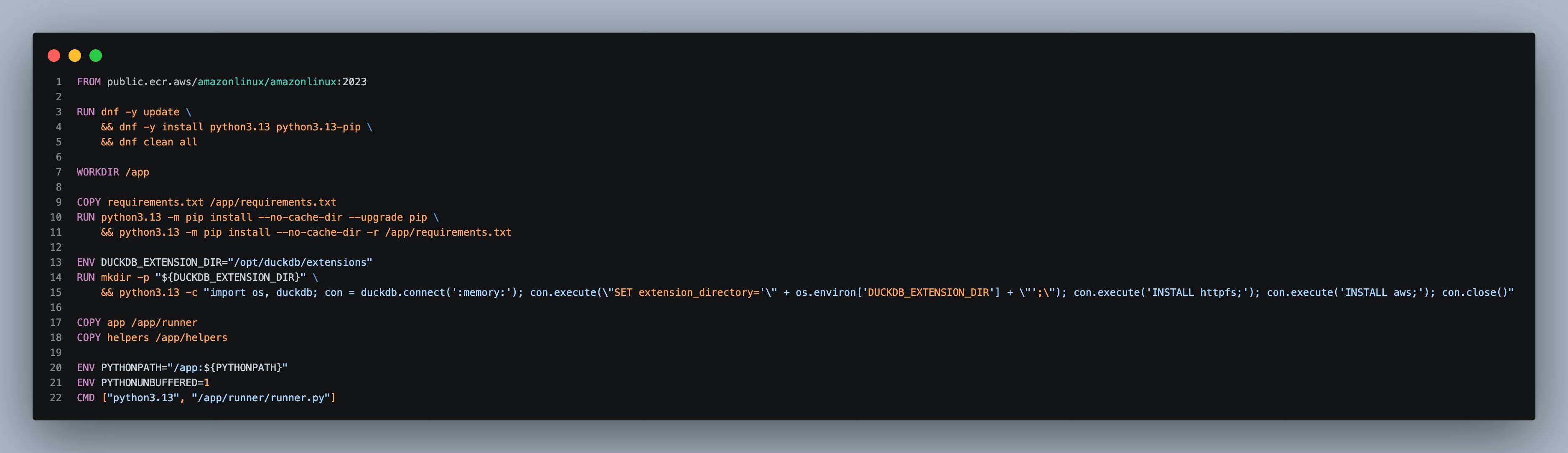
A few other important things to note here:
you can see we are copying our helpers folder into the main app folder. We then subsequently update the PYTHONPATH environment variable to include the app folder. This ensures that when our main ETL script imports the helpers module, it will find it and not error
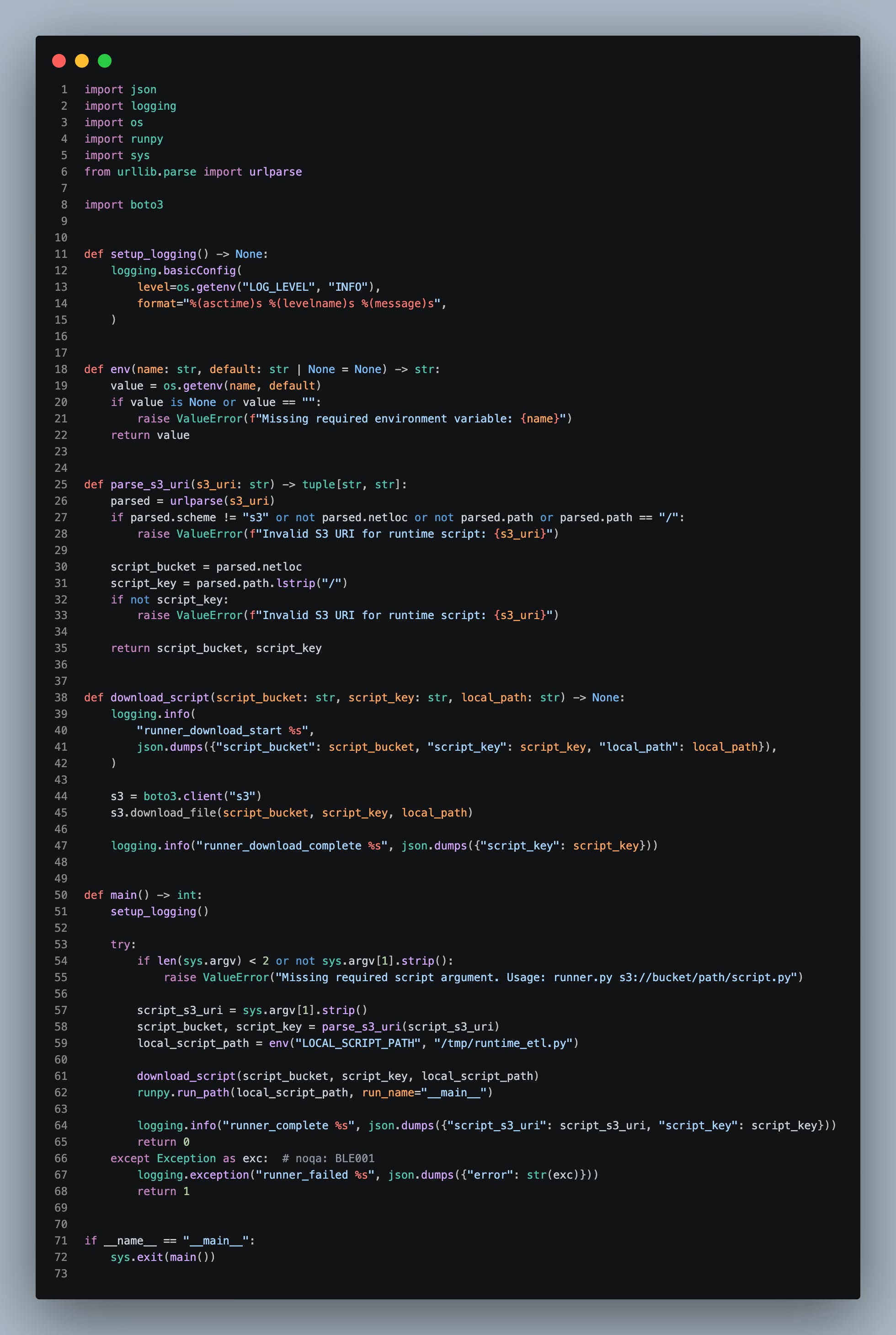
Our command at the end is calling runner.py. This is the entry point for the container that runs a python script which does the following:
takes in a param for the S3 ETL script path location
uses boto3 to download that ETL script into the docker image
executes the ETL script
The runner.py code looks like this:
Again, the beauty in all of this is that we can now pass into our image any DuckDB ETL script we have uploaded to S3, thus making this a reusable image.
Observability and Notifications
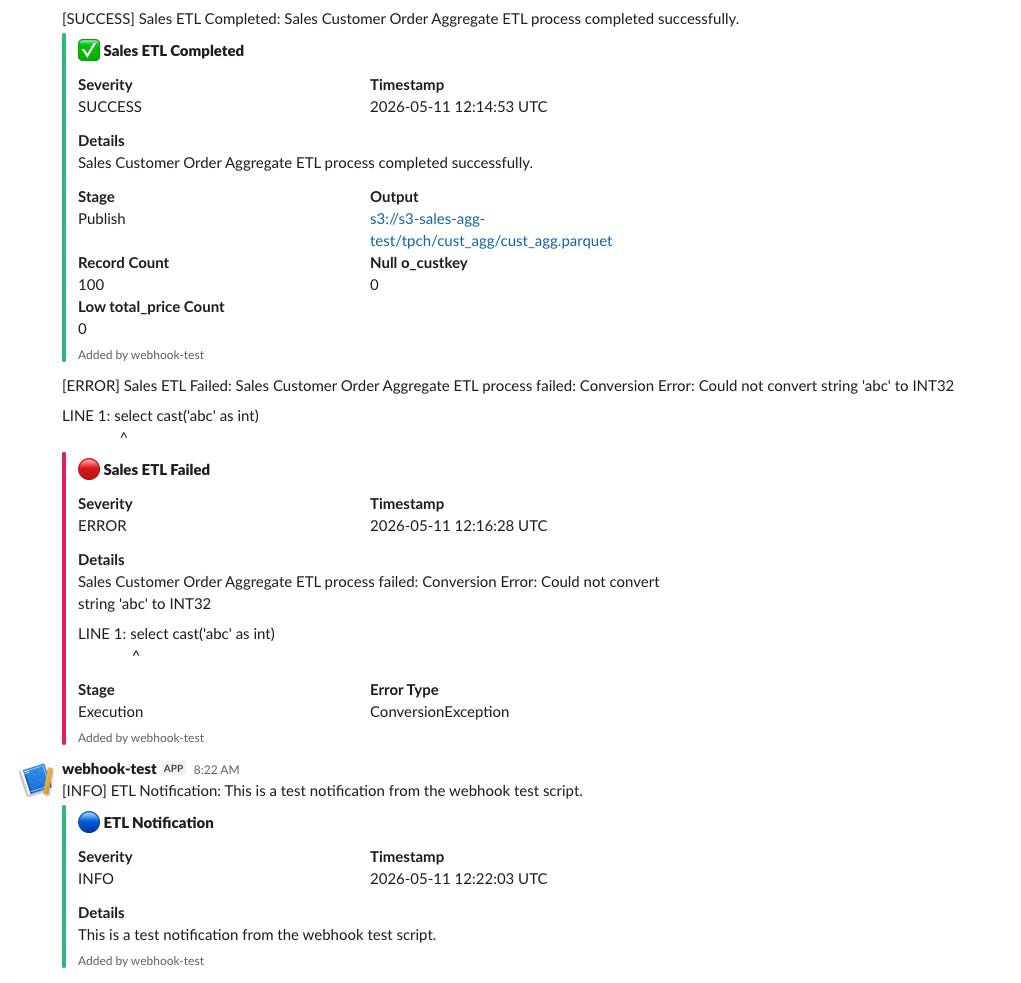
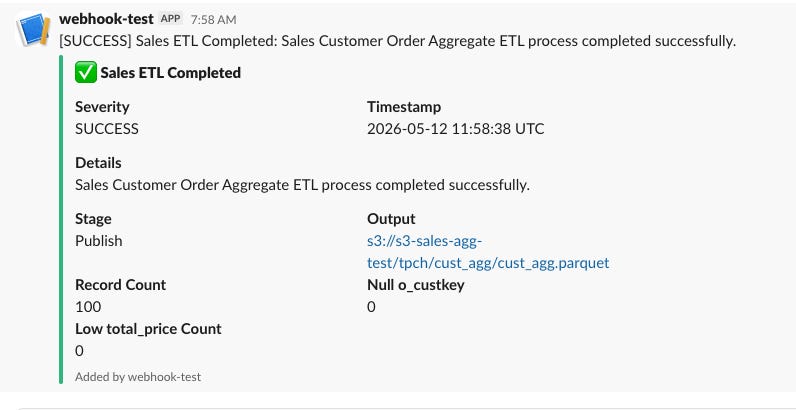
I setup a slack webhook to handle posting notifications of the ETL script to a slack channel; slack web hooks essentially allow you to run an http POST call to an endpoint where you can send many types of messages; i’ve setup the webhook code to handle 3 types of notifications:
success (green)
error (red)
basic info (blue dot)
Below is a screenshot of how each of these types of notifications appear in Slack:
One thing to be careful about though is exposing your webhook url; if anyone gets a hold of it, they can start posting to it; thus, to secure the webhook URL, I simply loaded it to AWS’s secret’s manager as a simple key/val pair like in the screenshot below:
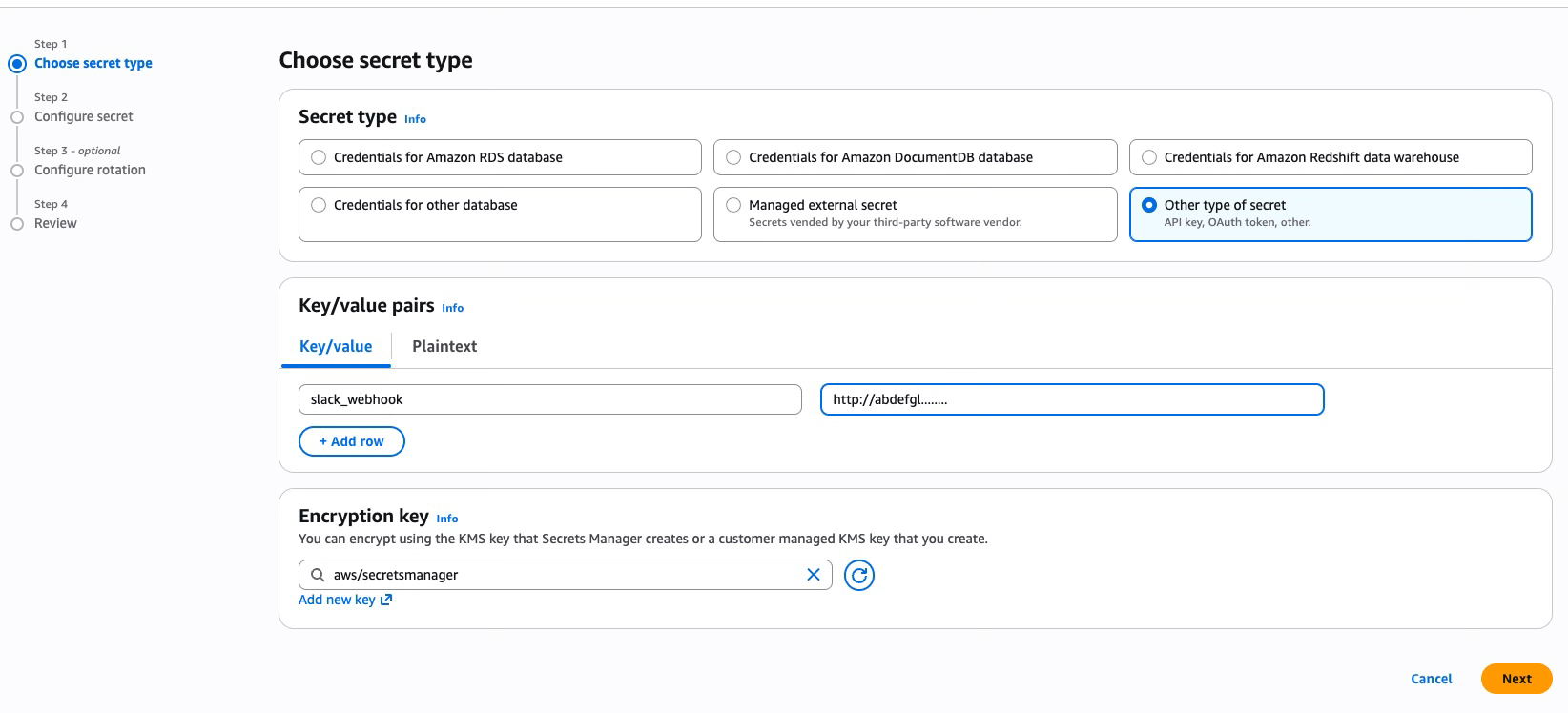
The actual slack notification python code simply pulls down the secured URL from secrets manager at runtime using the boto3 api.
Deployment
To deploy all of these assets, we need to run the following in order:
Terraform code to deploy the assets. This is done via in our terminal using terraform apply and logging into our infra aws role that I provided details on above
Once the terraform is deployed, we then need to build and deploy our Docker image up to our AWS ECR repository. I have a simple bash script called “build_and_deploy.sh” located here
Assuming everything was all rainbows and unicorns, we should be able to see the following assets in AWS:
The ECR Image
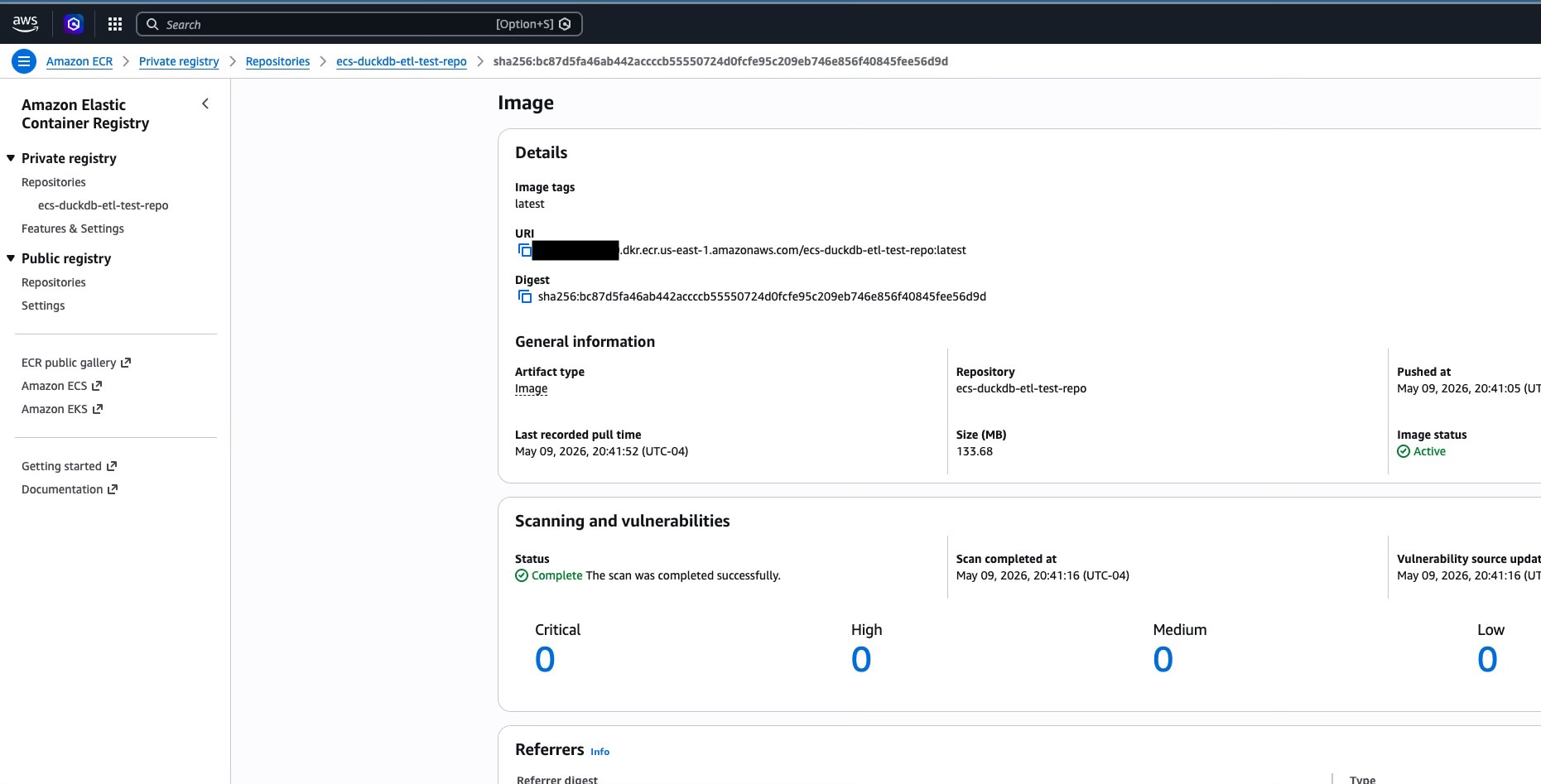
That image is tiny…only 133MB in size
The ECS Task
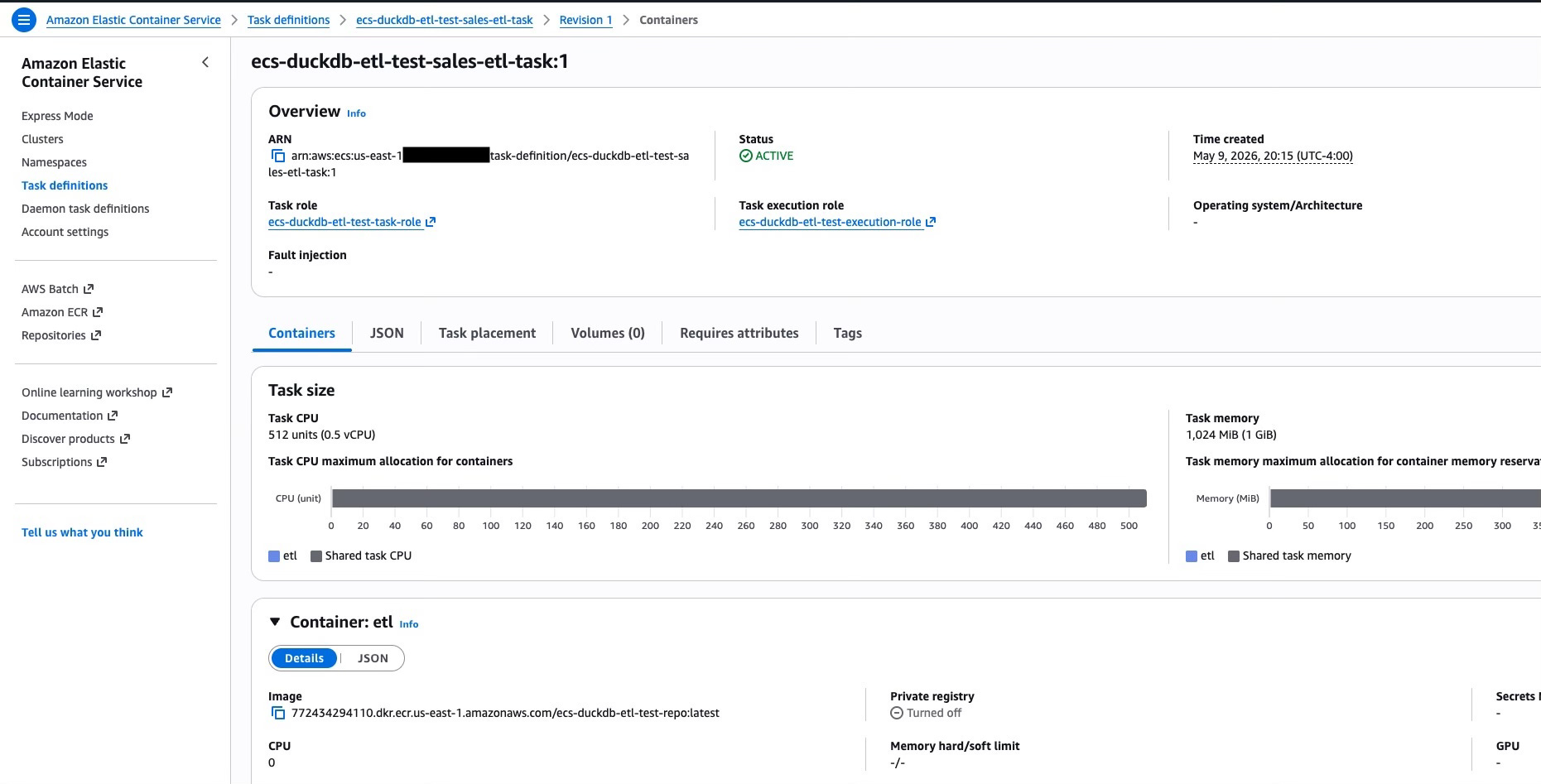
The IAM Roles
The Scheduler
Ok…This Was A Lot; Now How Do I Run This?
We can either wait for the EventBridge scheduler to kick off tomorrow morning, or we can manually start the ECS task with this simple bash script:
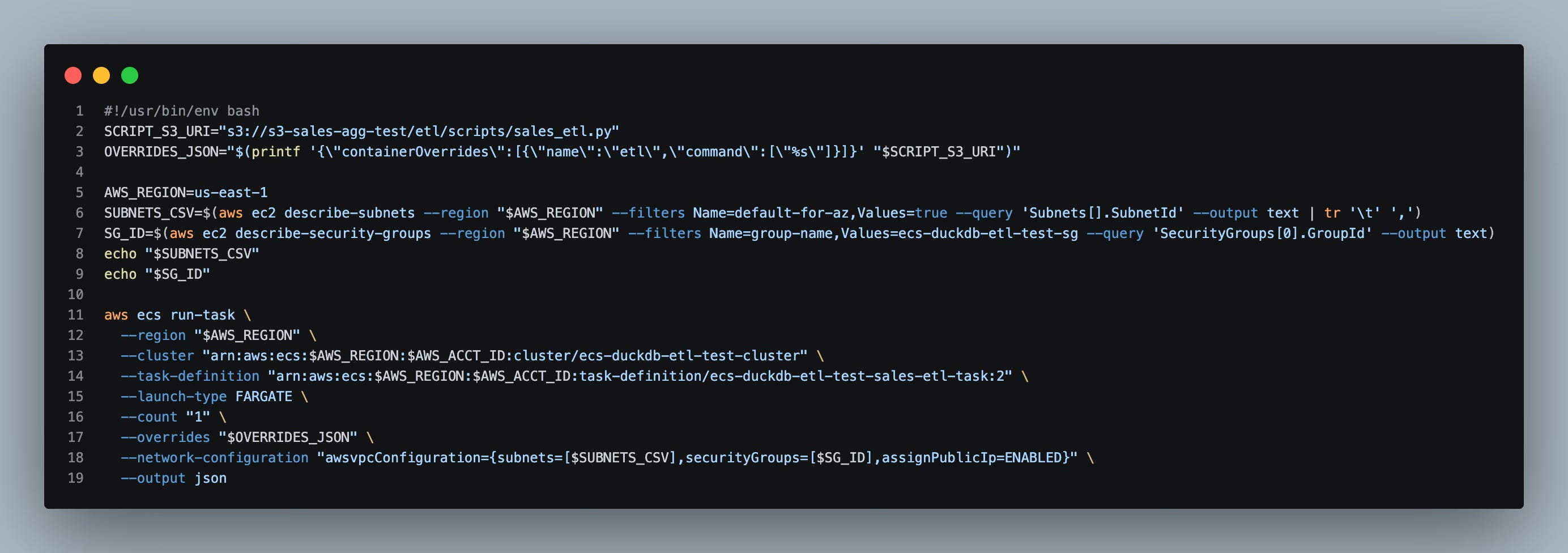
Like I had mentioned before, ECS Fargate is very fast at spinning up and will launch the job in a matter of about 30 seconds. And if all goes well, we will get a beautiful slack notification like the following:
We can also go check our cloud watch logs and we should see some good stdout info messages there as well:
Additionally, we can run this simple validation script that uses DuckDB to read the results that were written to our S3 target from the job:
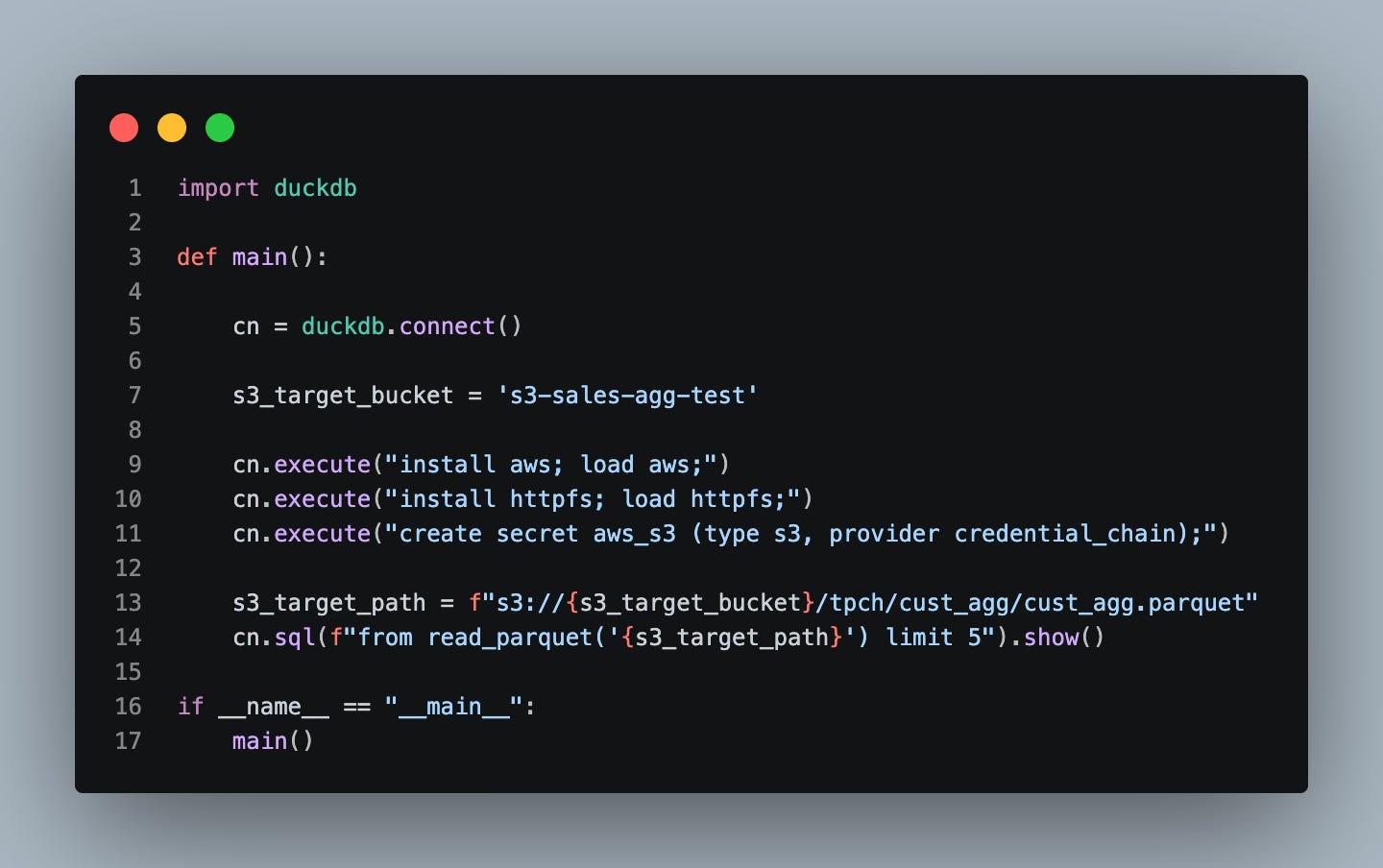
…And congrats, you have reached the end of the monopoly board and have officially deployed a modular, scalable, reusable ETL infrastructure suite on AWS.
I Know That Was A Lot - There Is A Silver Lining
We just covered nearly everything under the sun that is required for deploying ETL to AWS that gives you a scalable and modular setup. You could have taken numerous shortcuts such as:
one IAM role to rule them all that has blanket access to everything
this is known as “god mode” and is highly discouraged due to its security implications if it ever fell into the wrong hands
bake the ETL script into the image, thus eliminating the need for the launcher code that downloads the script
this would make the image though built for single use at that point and no longer modular to accept any script we want to run
just throw all helper functions and main etl into one giant script and pop into glue
You’d still have to grapple with the ability of the glue job to import python packages if you don’t have open internet access, its scaling issues, and that it runs on python 3.9.
Therefore, I think the setup we just built hits the sweet spot; and for future deployments, you will not have to deploy the Docker Image, ECR repo, nor the ECS cluster; and you might even be able to reuse some of the IAM roles that you had already deployed.
The Financials
Believe it or not, the cost for me to run and deploy this entire demo was just shy of 50 cents; of course, I did destroy the AWS assets after I finish the demo so I wouldn’t keep incurring a bill; but for what its worth, ECS Fargate tasks are relatively cheap compared to Glue; additionally, our ECR image, which was about 133MB in size, would cost less than 10 cents a month to store in ECR.
Further Musing
If you made it this far, you can see that there was a lot involved in this tutorial. And this, again, is why many companies are moving to data management platforms such as Databricks and Snowflake; they offer more seamless integrations and you can spend more time focusing on the business outcomes vs. the infrastructure. However, if you fork the code that I demonstrated today and applied a little elbow grease to fit it to your orgs standards, this will get you a simple and repeatable deployment pattern that scales very well.
ALL THE CODE
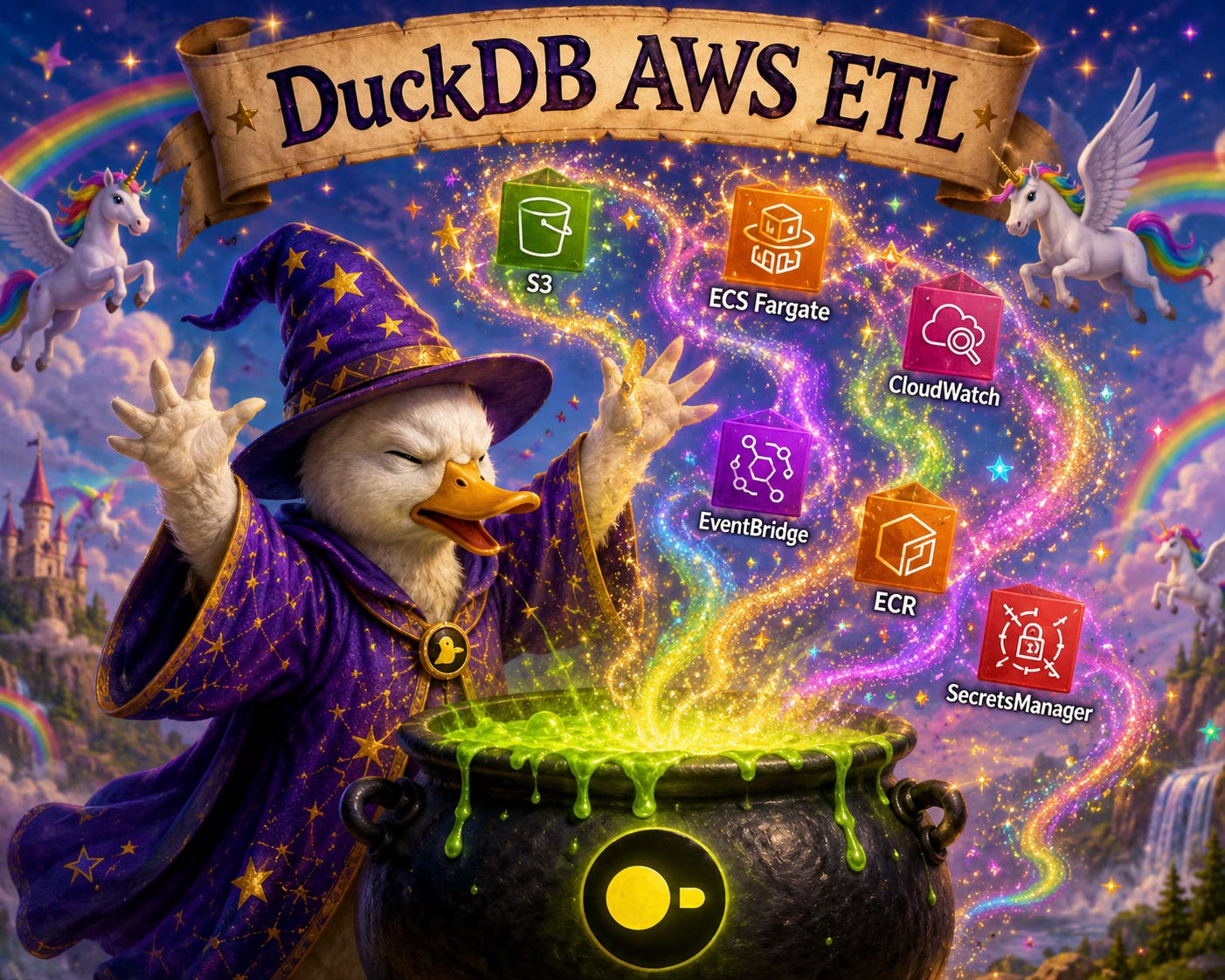
And What You Really Cared About? The Duck Wizard Image Prompt
Let’s face it; if you’ve gotten this far on this article, what you really cared was the prompt I gave ChatGPT to generate the wizard duck at the beginning of this article. Here it is:
an image of a duck dressed as a wizard with its hands up in the air and a cloud of sparkle and dust that shows wizzing around various aws services such as S3, ECS Fargate, ECR, CloudWatch, EventBridge, and SecretsManager; the duck appears to be concentrating hard and casting a spell; in front of him is a black caldron that all this sparkle and dust is flowing into; the caldron has neon green ooze boiling; the banner above all this says "DuckDB AWS ETL"; have a few rainbows and unicorns flying in the background
Thanks for reading,
Matt
My god…you’ve done it 🤩
Great stuff, thank you for sharing! Inspirational for those of us still working with network files and installations locally that at somepoint the same overall idea and logic could be replicated in the cloud with proper CI/CD and IAM provisioning ^=^ !