
DuckDB 1.5 And Iceberg
AWS Glue Catalog Gets A Facelift

For a while now, the DuckDB Iceberg extension has had great support for AWS S3 Tables (AWS’s managed Iceberg table experience); you can perform basic CRUD operations such as create a table, insert, update, and delete. I wrote about this a few months ago here; but for many that have been on the AWS stack for a while, you all know well that S3 Tables are still relatively new and arrived years after AWS started supporting Iceberg tables in their regular Glue catalogs. But DuckDB and their Iceberg extension had not been focused on this “legacy” glue stuff…until now :).
The DuckDB 1.5 update brought a significant update to standard AWS glue catalogs, which this article will cover. We will demonstrate how to connect to a regular glue catalog, create new Iceberg tables, run inserts, updates, and deletes on them.
Connecting to the Catalog
To connect to a standard glue iceberg catalog with DuckDB, this is all it takes:
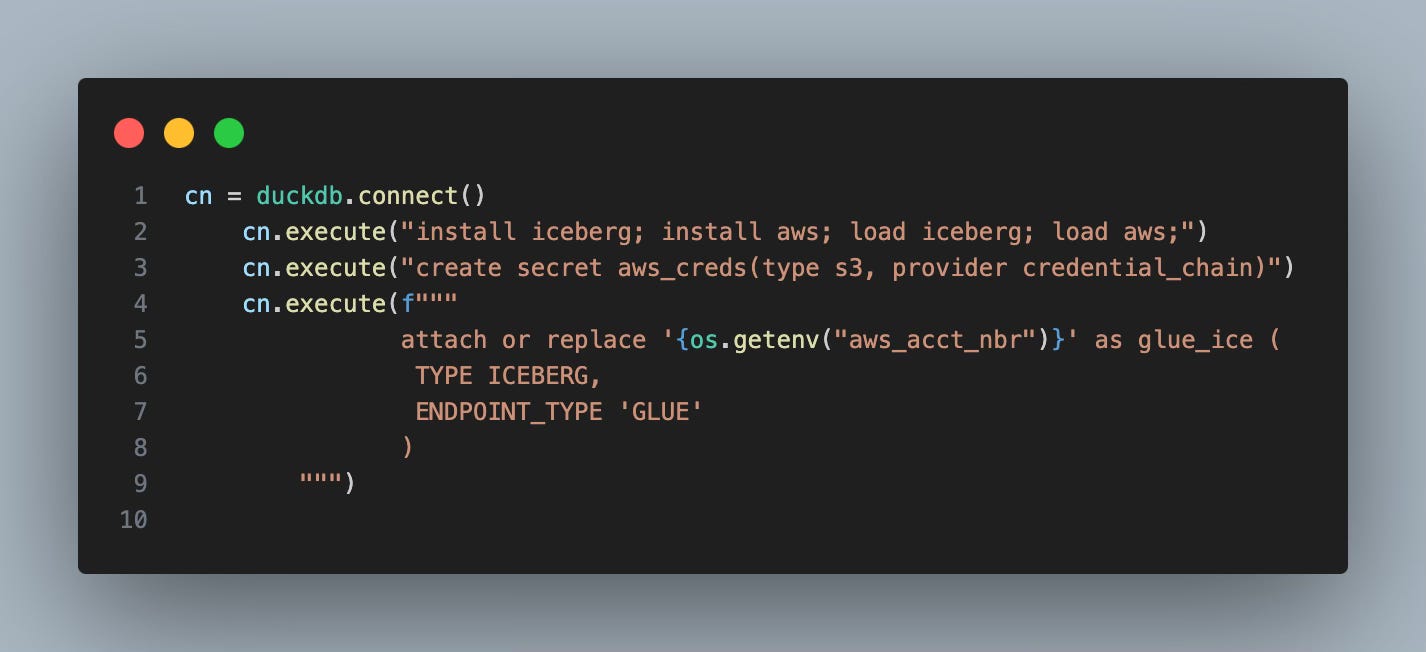
I’m using the credential chain to authenticate to AWS, which IMO is best practice here vs. using an IAM user with persistent access keys.
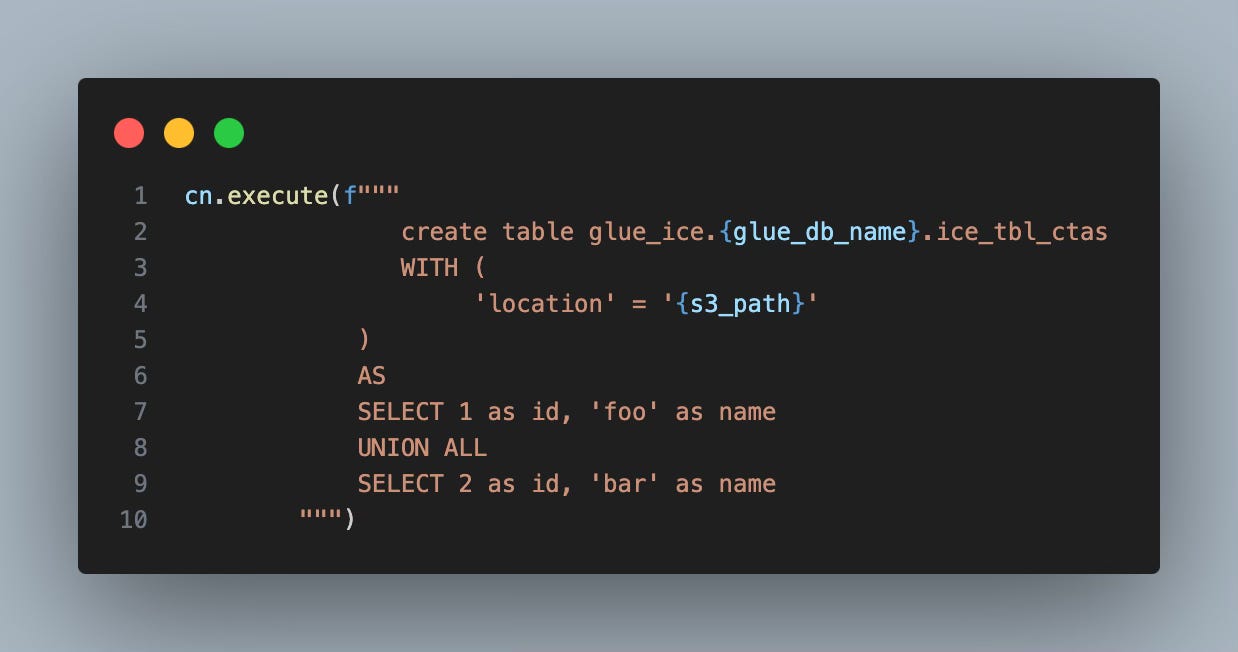
Creating the Table
The major update that DuckDB V1.5 and iceberg brought was the ability to specify a location for an Iceberg table in the SQL using the “WITH” predicate. This feature was not necessary with S3 Tables, since the location was built into the backend ARN. Also, DuckDB enabled CTAS operations, which is rather interesting, given that AWS’s official docs located here indicate that their Iceberg rest endpoint does not support this (see section on creating a table and the remark on “stage create”). Gotta give it to the Duck and its parsing gymnastics to get the job done:
Basic CRUD Operations
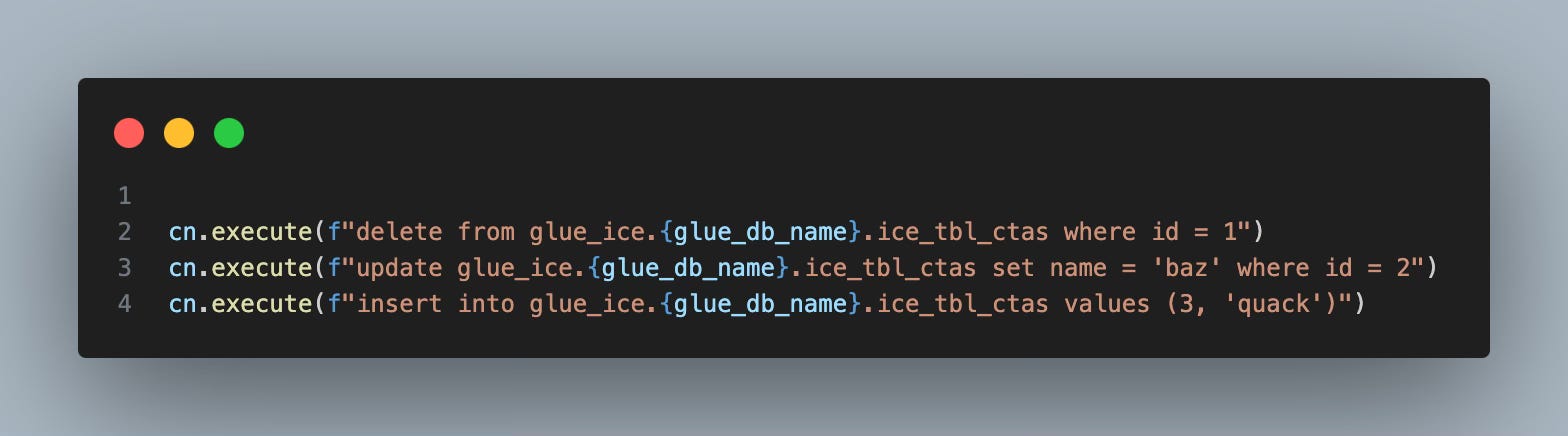
As I mentioned before, we can also perform INSERT/UPDATE/DELETE operations on these tables like so:
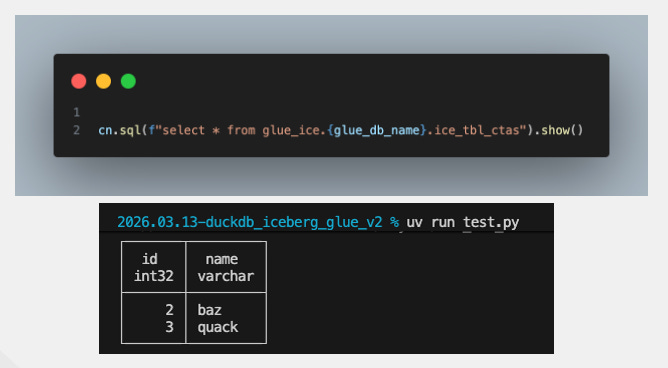
And Now…Let’s See The Results
Voila…
A Gotcha
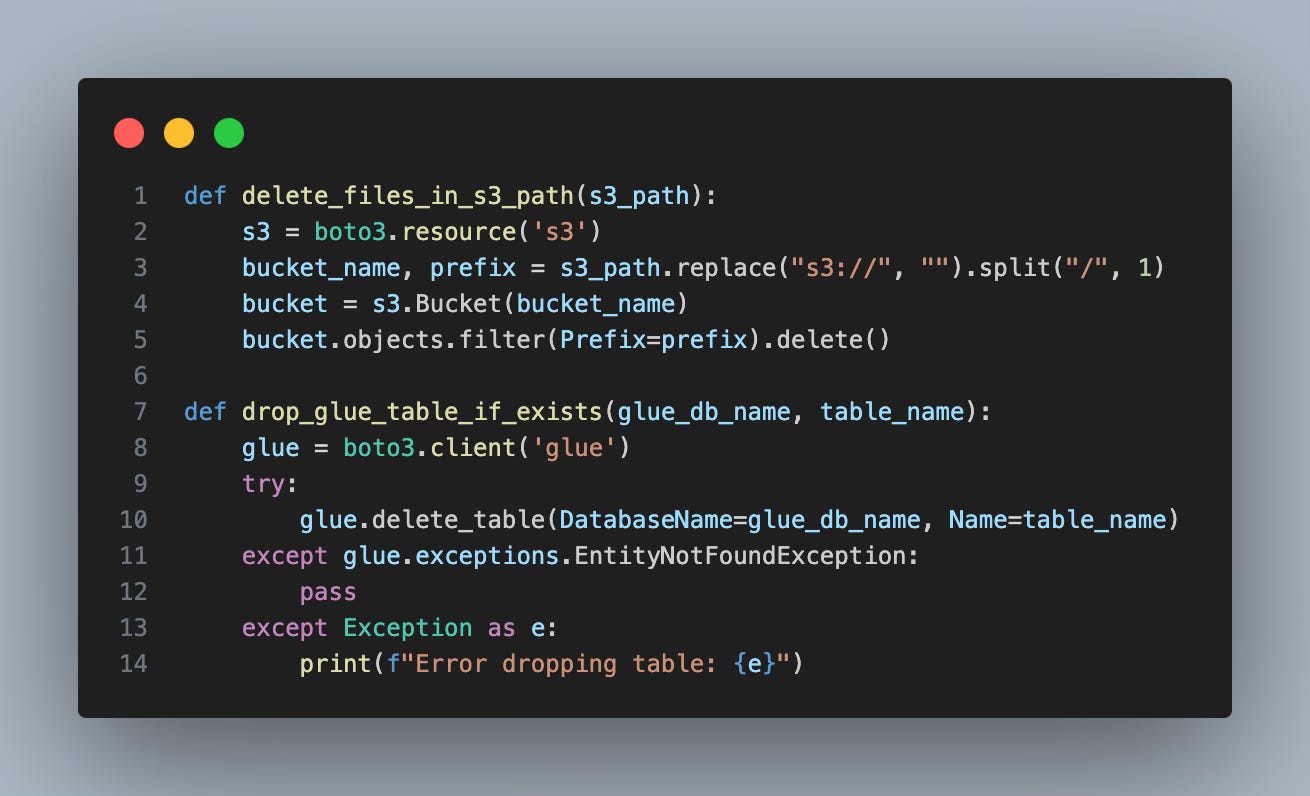
One thing I noticed is that when I attempted to drop the table before creating it via a “DROP TABLE IF EXISTS”, it kind of worked if the table was already there. But if it was missing, I got some weird HTTP error. Thus, as a workaround, I instead wrote 2 functions to use the GLUE Api to nuke the table and the S3 API to delete all its supporting files. Running that prior to creating the table makes the process repeatable with no errors. Below is the code that does that:
Additional Remarks
I also tested these 2 CRUD operations, which did not work:
CREATE OR REPLACE TABLE AS…
MERGE INTO
The good new is that after testing those 2 operations, I filed these issues here and here on the official duckdb-iceberg extension repo and got a quick response that these were in the works, which is great to hear. Like I’ve said many times, I think with just a little more time, the DuckDB Iceberg extension will be nearly feature complete. The 1.5 release was a giant leap forward IMO.
Thanks for reading,
Matt